
GateTracker™
your clear path to i3
A hosted workspace that helps a 9-1-1 authority see what is done, what comes next, and who owns it, through the FCC valid request. Every step is explained in plain words: tell me what this really means.
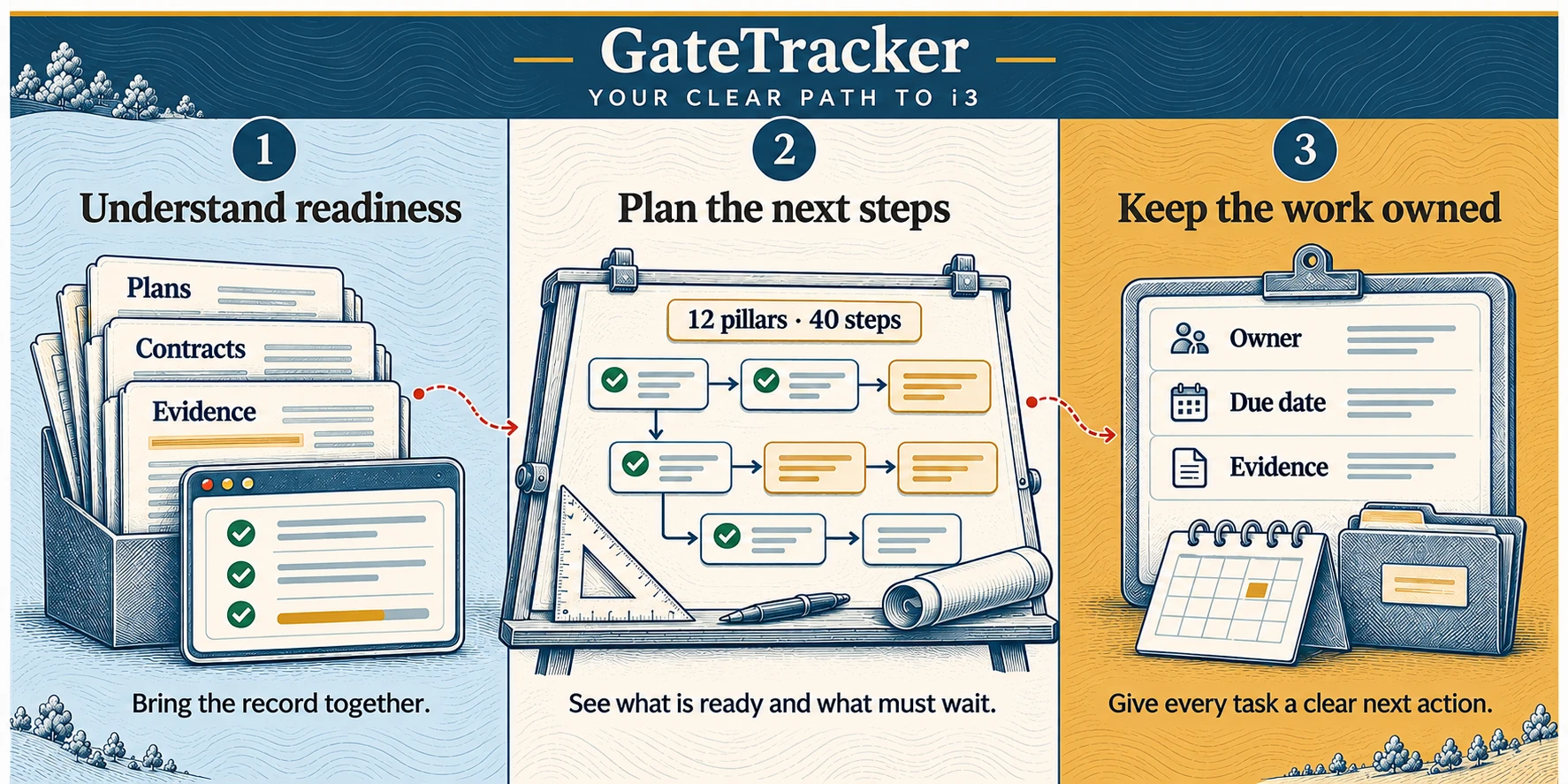
Readiness starts with a shared picture.
See where your authority stands across 12 pillars, with the evidence and open questions together. The roadmap connects what is ready with what still needs to happen.
12 pillars, 40 steps, from legacy 911 to i3
Twelve pillars cover governance, funding and contracts, network, GIS data, PSAP systems, security, testing, the two FCC valid requests, and follow-through with originating service providers. Each pillar holds the steps you need, in dependency order. GateTracker orders the work that is left. A gate is a set of steps you can work on at the same time, and what must wait for an earlier step is shown on the Roadmap.
Built on the rules, and honest about them. Steps trace to 47 CFR 9.28 to 9.34, the FCC orders, and NENA standards. Where a step is GateTracker practice rather than an FCC requirement, the app says so.
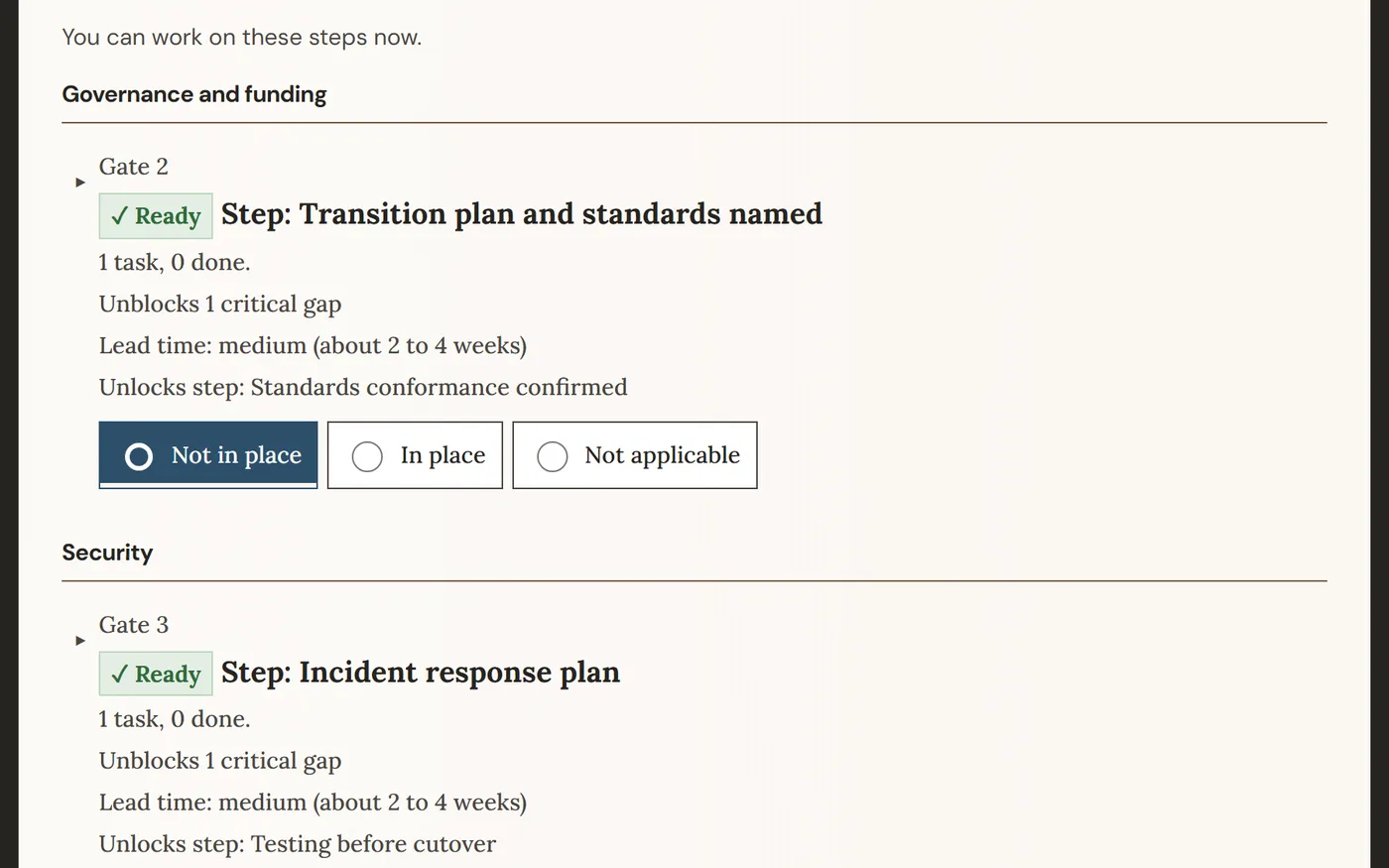
Four words, each with one meaning
A pillar is a fixed topic that holds steps, evidence, and vendor questions. There are 12. A step is something that needs to be true. A task is the work, with an owner and a due date, that gets a step done. A gate is a set of steps you can work on at the same time, and what must wait for an earlier step is shown on the Roadmap.
Tell me what this really means
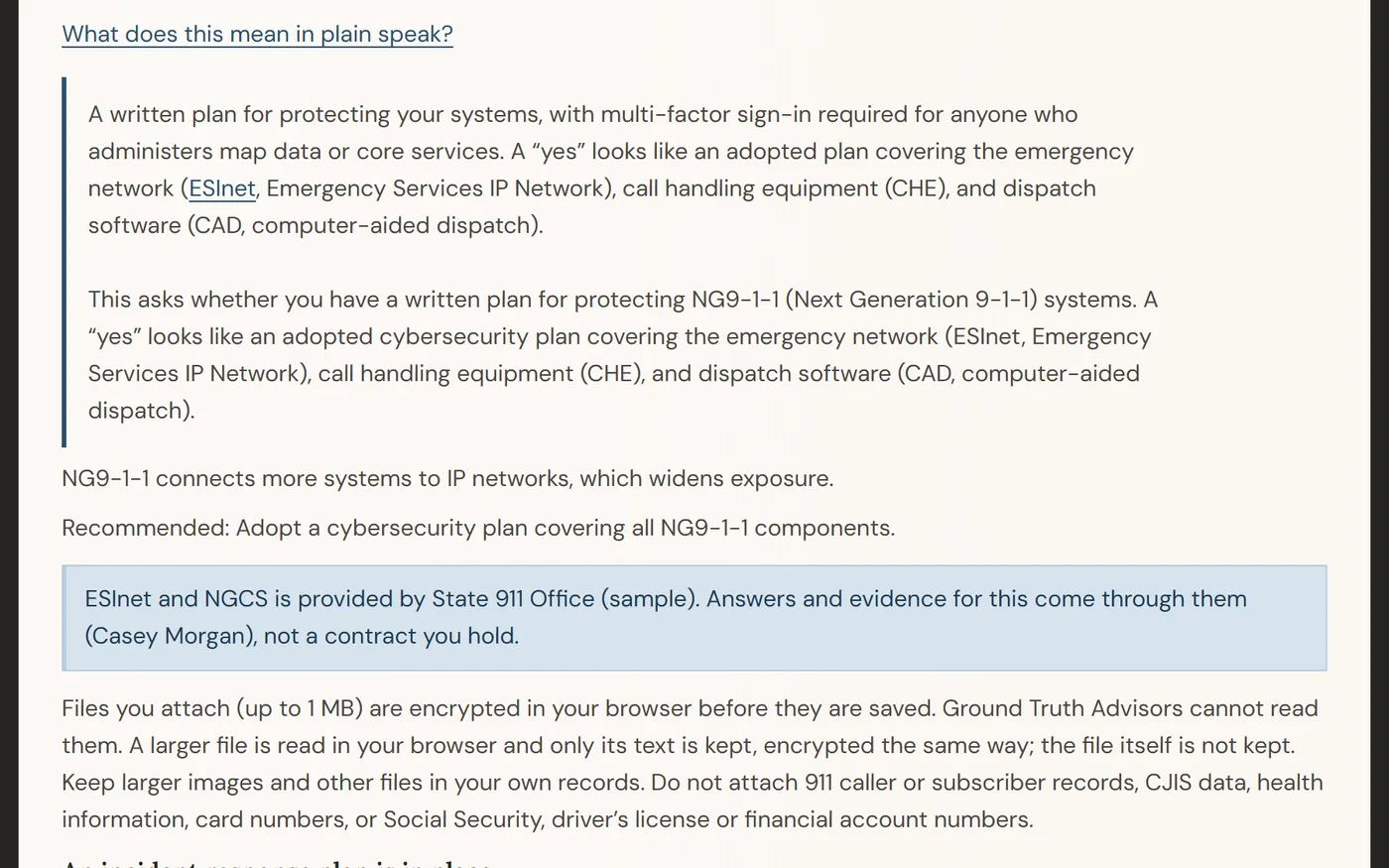
GateTracker explains each step in plain words, so your board, your GIS lead, and your finance office can all follow it, and your vendors cannot talk past you.
How every explanation is written:
- Plain words first. Short sentences, acronyms spelled out.
- A yes you can recognize. Each step says what a yes looks like.
- Rule or advice, labeled. Each step says whether it comes from the FCC, NENA, or GateTracker practice. Phase 2 location steps, for example, are GateTracker's readiness bar, not an FCC condition.
- Written ahead of time. Fixed text, not generated as you read.
AI is optional and under your control
The problem it solves. Contracts and vendor replies are long, and no one has time to check one against the other. AI does the reading and flags differences, measured against steps that trace to FCC rules and NENA standards.
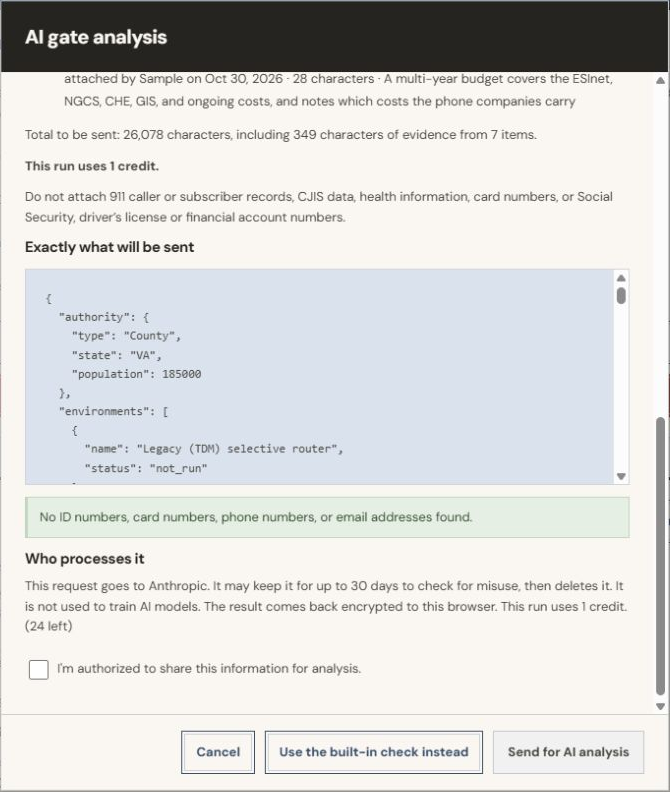
Nothing goes to an AI model unless a user chooses to send it, with a consent notice each time. An admin can turn AI off, and the rest of GateTracker keeps working. A person accepts every change. AI-assisted analysis: review and verify before use.
Where AI helps, and where it stops
The problem. Buying NG9-1-1 means long contracts and long vendor emails, and no one has time to read one against the other. A reply can sound like a yes and still narrow what you bought. GateTracker's optional AI does the reading and shows its work.
- Reads the vendor's reply. Marks each question answered, partly answered, or not answered, and quotes the sentence it relied on. Committed dates become suggested tasks.
- Checks it against your contract. Flags where a reply differs from a term you accepted, such as scope, service levels, or an added cost. It shows both sets of words. What a reply leaves unaddressed is listed, never counted as a yes.
- Finds terms, sums up your position. Pulls contract terms for each step, with section and quote. Each step traces to FCC rules and NENA standards, so you see where you stand against them and what your record does not say. It does not give legal advice.
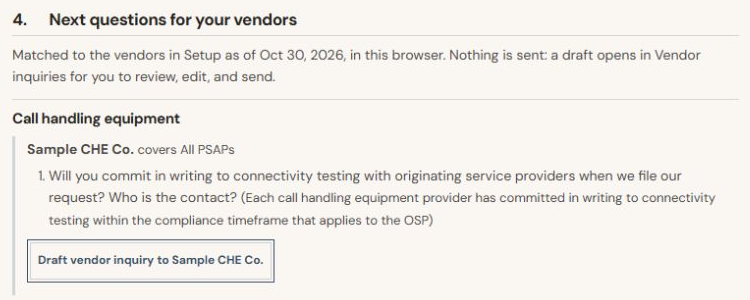
From finding to asking. The analysis report turns open gaps into questions for your vendors. One button opens a draft inquiry, and nothing is sent until you review and send it. A person accepts every change.
Valid request module
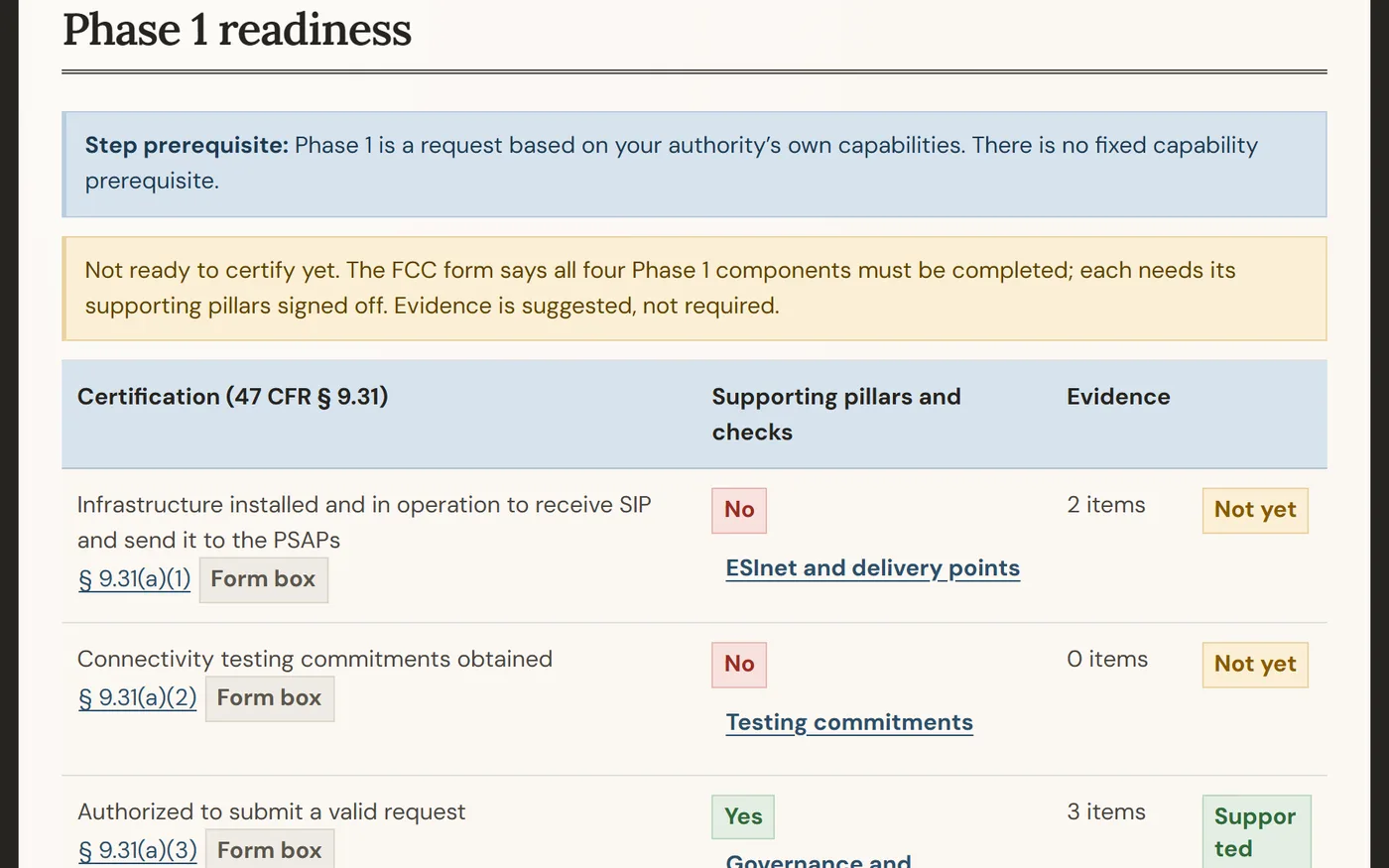
When your gates are open, GateTracker checks your readiness against each FCC certification, fills in the FCC's own form, and tracks every clock that starts after you file.
How your data is handled
- Encrypted in your browser with keys GTA does not hold. The server stores only encrypted content, except what you choose to send for AI analysis.
- Hosted in AWS U.S. regions. Passkey sign-in for admins and approvers, and a tamper-evident audit trail.
- Never sold. Your content is never written to logs. Export as CSV, JSON, or PDF. Account data is deleted within 90 days after the agreement ends.
- Our security policy, incident response summary, and threat model summary are available on request.
Who it is for
9-1-1 authorities and state or regional 9-1-1 offices that cannot fund a dedicated NG9-1-1 deployment manager. GateTracker does not replace one. It lets the people you already have fill the role and can cut the hours you spend on outside help.
What it is not
GateTracker gives planning guidance, not legal advice. The FCC's rules and your counsel decide what a request needs. GateTracker prepares the content; your authority files.
Status
GateTracker is in pilot. It is hosted only, and pilot terms are confirmed in writing before any agency data is entered. Features and terms may change.
See it with your own steps.
Tell us about your authority and we will walk you through what the pilot looks like.
Sandi Stroud, ENP, sandi@groundtruthadvisors.com, groundtruthadvisors.com.
Contact us for pricing.
Common questions
Does GateTracker file the request for us?
No. It prepares the content and the FCC form; your authority files.
Do we have to use AI?
No. It is optional, and nothing goes to an AI model unless a user chooses to send it.
Can we try it on our own data right away?
Pilot terms are confirmed in writing before any agency data is entered. Until then, use the demo, which has fictional data.